IT Administration
Buy now →
AD Permissions Reporter
See exactly who can access what across your file shares — before an auditor asks.
One-time purchase
$129
Secure checkout — you’ll be taken to our store to complete your purchase.
What it does
Read-only by design
Runs purely read-only queries — it never changes an ACL, a group, or anything else.
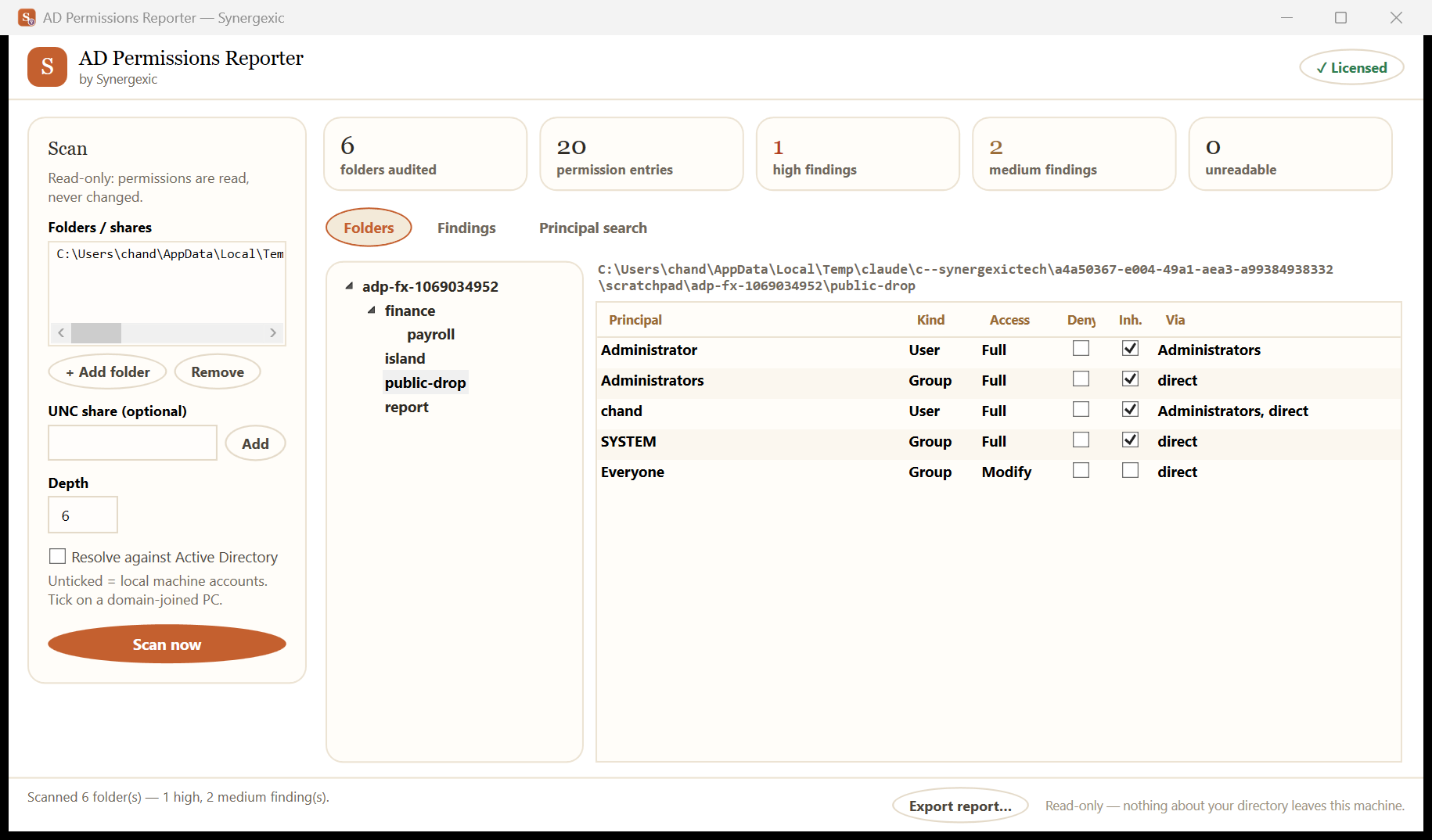
Share & folder scanning
Point it at your file shares and it maps effective permissions folder by folder.
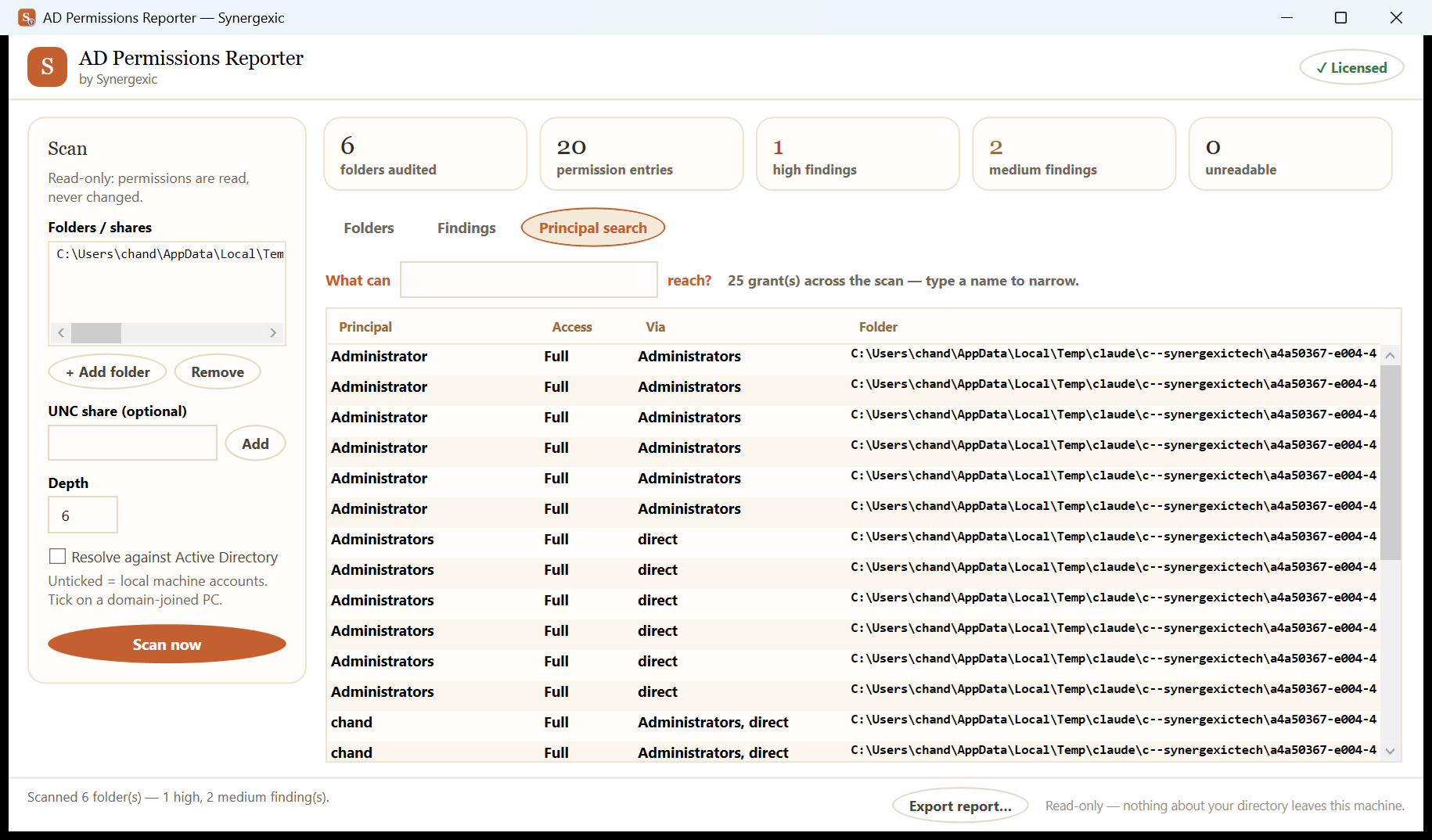
Group untangling
Resolves nested AD groups so you see the real people behind every permission.
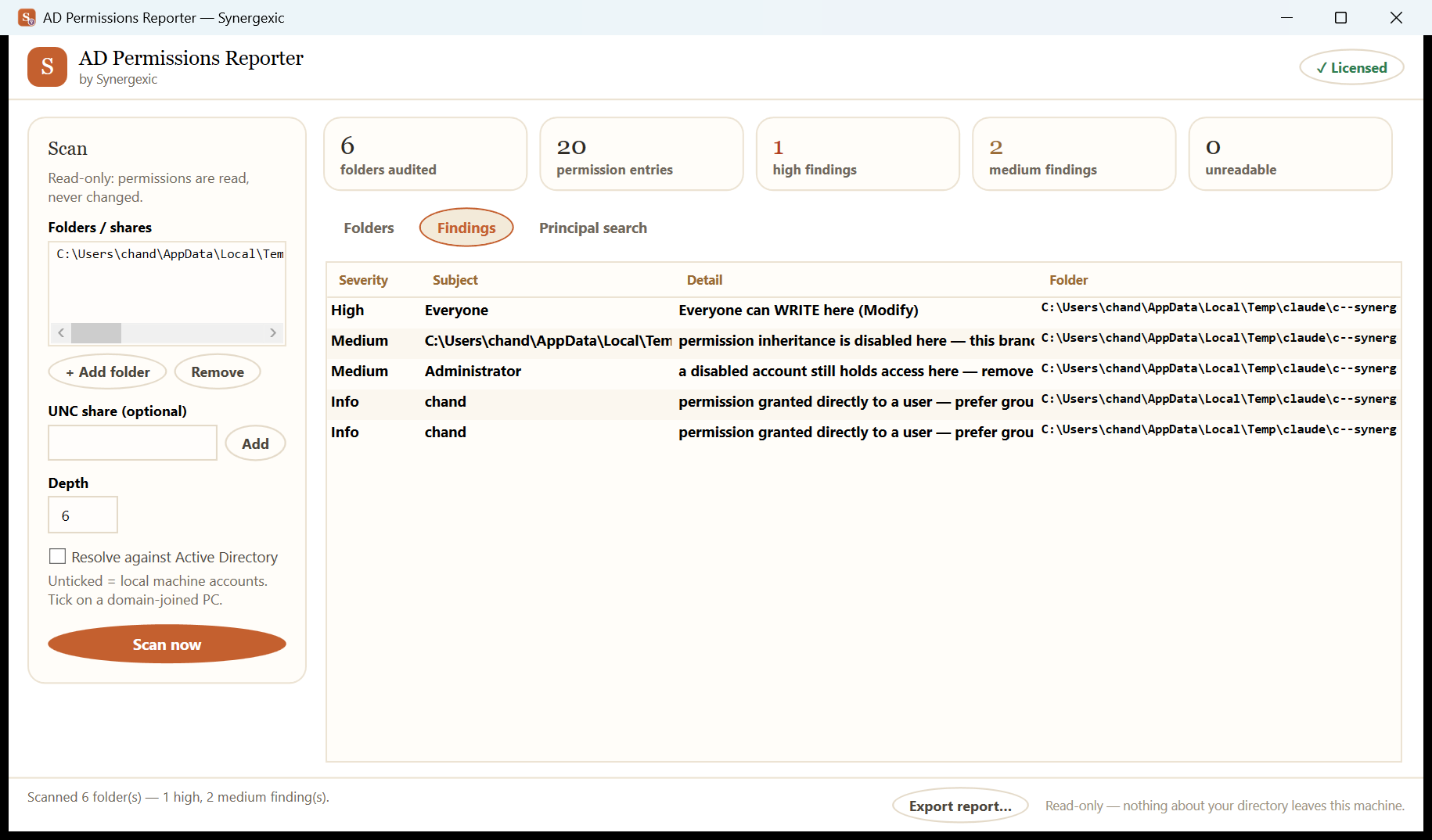
Risk flags
Highlights Everyone and Domain Users grants, broken inheritance and orphaned SIDs.
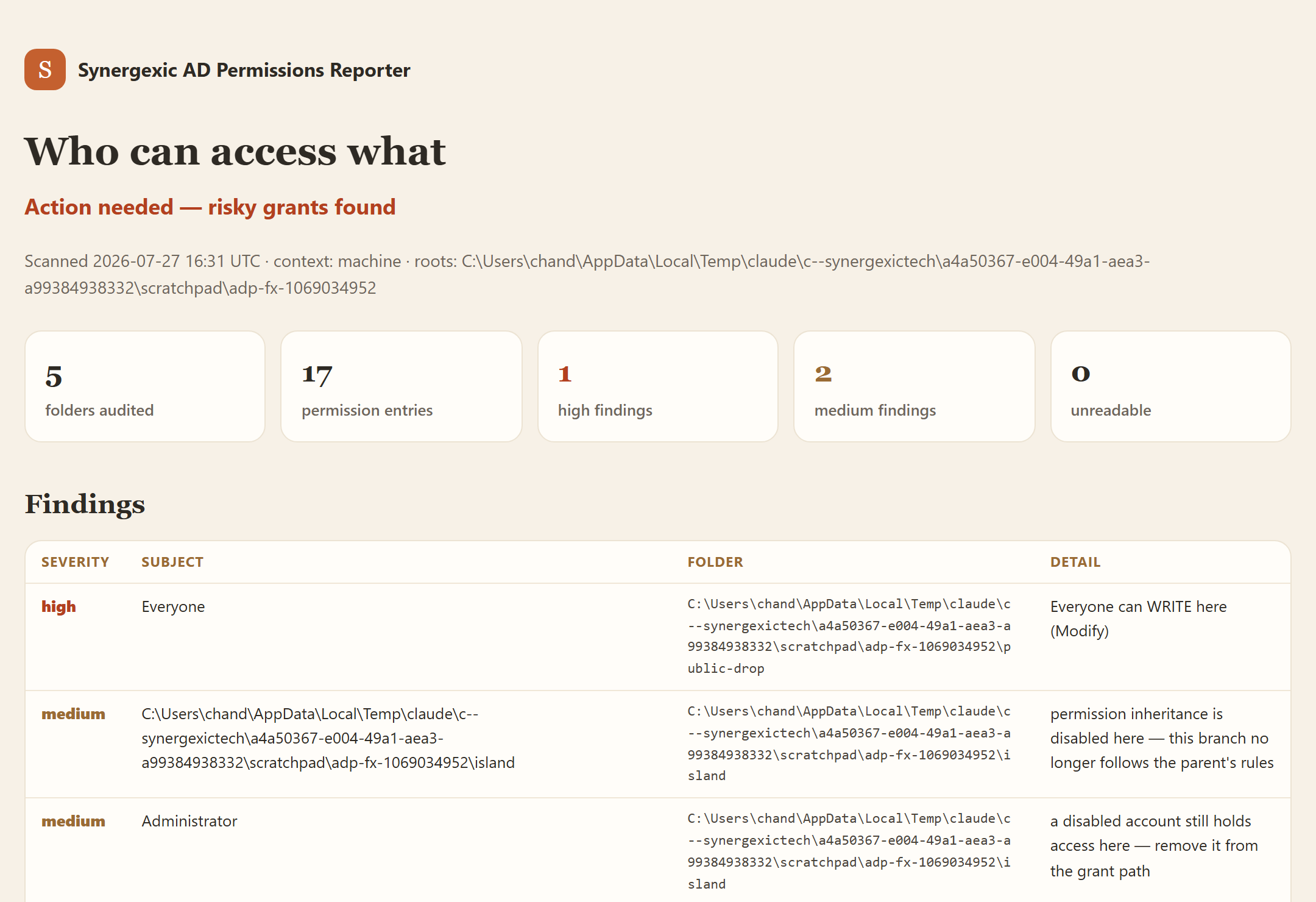
Audit-ready exports
Clean PDF and Excel reports that auditors actually accept.
Fully offline
Runs inside your network. Nothing about your directory ever leaves it.
System requirements
- Windows 10 / 11 or Windows Server 2016+
- Domain-joined machine with read access to AD
- 4 GB RAM minimum
- 150 MB free disk space
One-time purchase
$129 once, yours forever
- ✓ Full version, no feature limits
- ✓ One year of free updates
- ✓ Use on your work & home machine
- ✓ Friendly email support
Questions, answered
Does it change anything in my directory?
No. AD Permissions Reporter is strictly read-only — it queries AD and file ACLs and writes nothing back, ever.
Do I need Domain Admin rights?
No. Any account that can read AD and list the shares you want to scan is enough.
Is this a one-time purchase?
Yes — pay once and it's yours, with a full year of free updates included.
Where does the scan data go?
It stays on the machine you run the scan from. No uploads, no cloud, no account.